Plastilin
A camera-fed browser piece you deform with your hands. Pinch and pull the live image like a sheet of paper: stretch it until it tears through to the layer underneath, squash it until it creases, cut a scrap free and it drops out of frame.
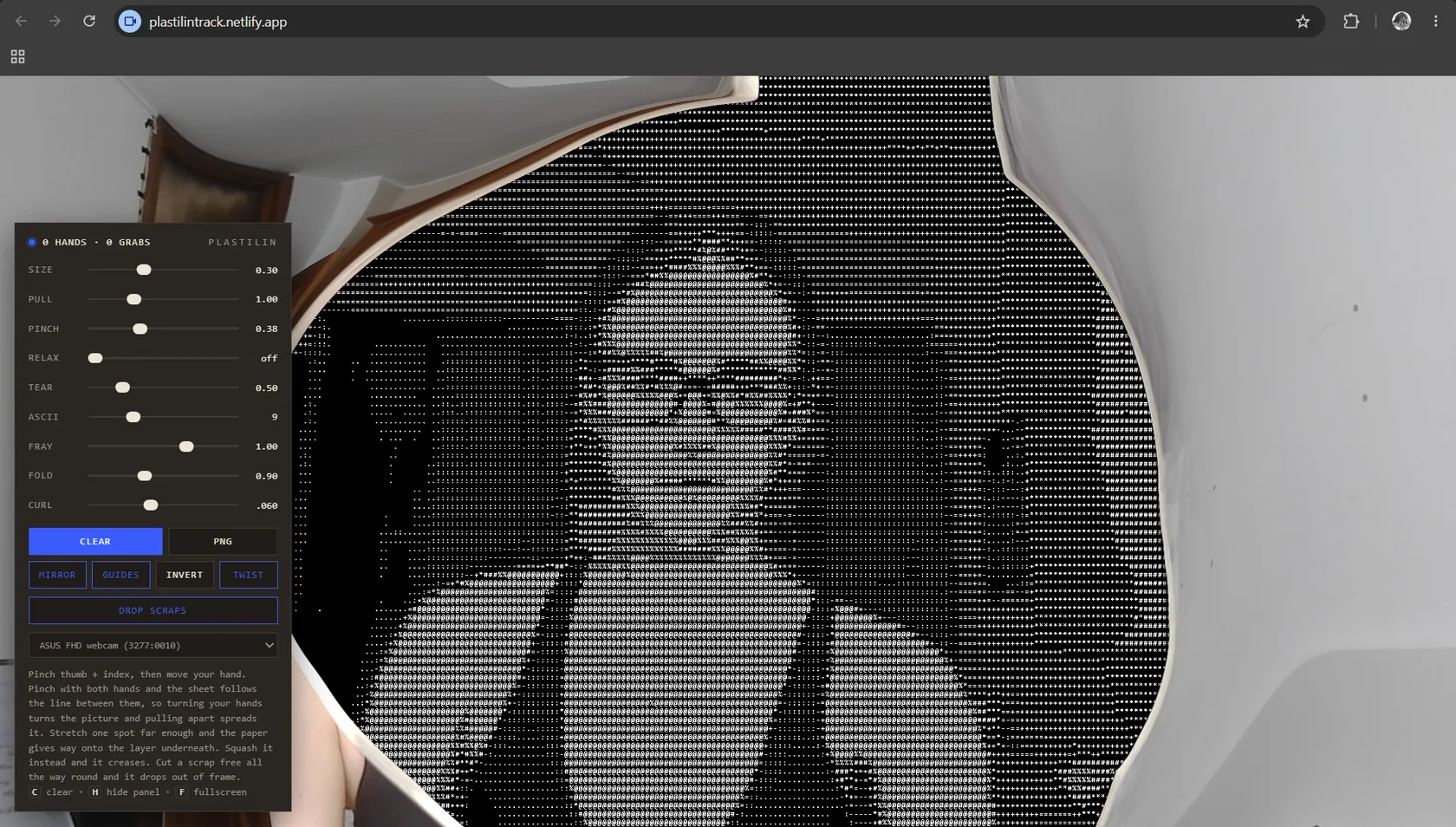
On how it was built
I specified the behaviour, the material rules and the interface; the code was iterated with an AI assistant (Claude) rather than written line by line. The judgement calls are mine: what the material should do, when it tears rather than folds, which parameters belong in the panel and which stay fixed. Same working method as the illustration on Maramao and the renders on Milano Futura, and stated here for the same reason.
1 / What it had to do
Everything else on this site is documentation of something
that happened somewhere else: a room you were not in,
a night that is over. This is the one piece a stranger can open
and touch. So the constraints were narrow — it had to run
in a browser with nothing to install, work off a laptop webcam,
and be understandable without anyone reading instructions first.
2 / The idea
Your hands are the tool and the camera feed is the material.
No cursor, nothing between you and the image. The behaviour
is borrowed from paper rather than from image editing:
it stretches, thins, tears, creases, curls and frays. That means
the first ten seconds run on physical intuition you already
have instead of controls you have to learn.
3 / How it works
Hand tracking runs in the browser off the webcam feed
and follows both hands at once. A pinch between
thumb and index becomes a grab point on the sheet;
with two pinches the sheet follows the line between them,
so rotating your hands rotates the picture and pulling
them apart spreads it. Underneath, the surface behaves
as a material with tension and relaxation: past a strain
threshold it gives way and opens onto the layer beneath,
and below it the same pressure creases instead.
Free a scrap all the way round and it detaches and falls out
of frame. Everything is client-side. The hand model loads
once from a CDN and no frame ever leaves the machine.
- Webcam
- Two-hand tracking
- Pinch → grab points
- Tension / relaxation
- Tear · fold · drop
- Canvas + PNG
What your hands do
One hand
Pinch thumb and index, then move. That point of the sheet comes with you.
Two hands
The sheet follows the line between the two pinches.
Turn your hands and the picture turns;
pull them apart and it spreads.
Stretch
Push one spot far enough and the paper
gives way, opening onto the layer
underneath.
Squash
Do the opposite and it creases
instead of tearing.
Cut around
Free a scrap the whole way round
and it drops out of frame.
What the panel
exposes
Parameters
Sixteen live parameters. Some are
the material itself – pull, relax, tear, fray,
fold, curl, twist — and the rest
are display and output. Keyboard:
C clears, H hides the panel, F goes fullscreen.