Polimi Library App
A university library app rebuilt from its information
architecture up. Task success went from 47% to 78%
and median time roughly halved.
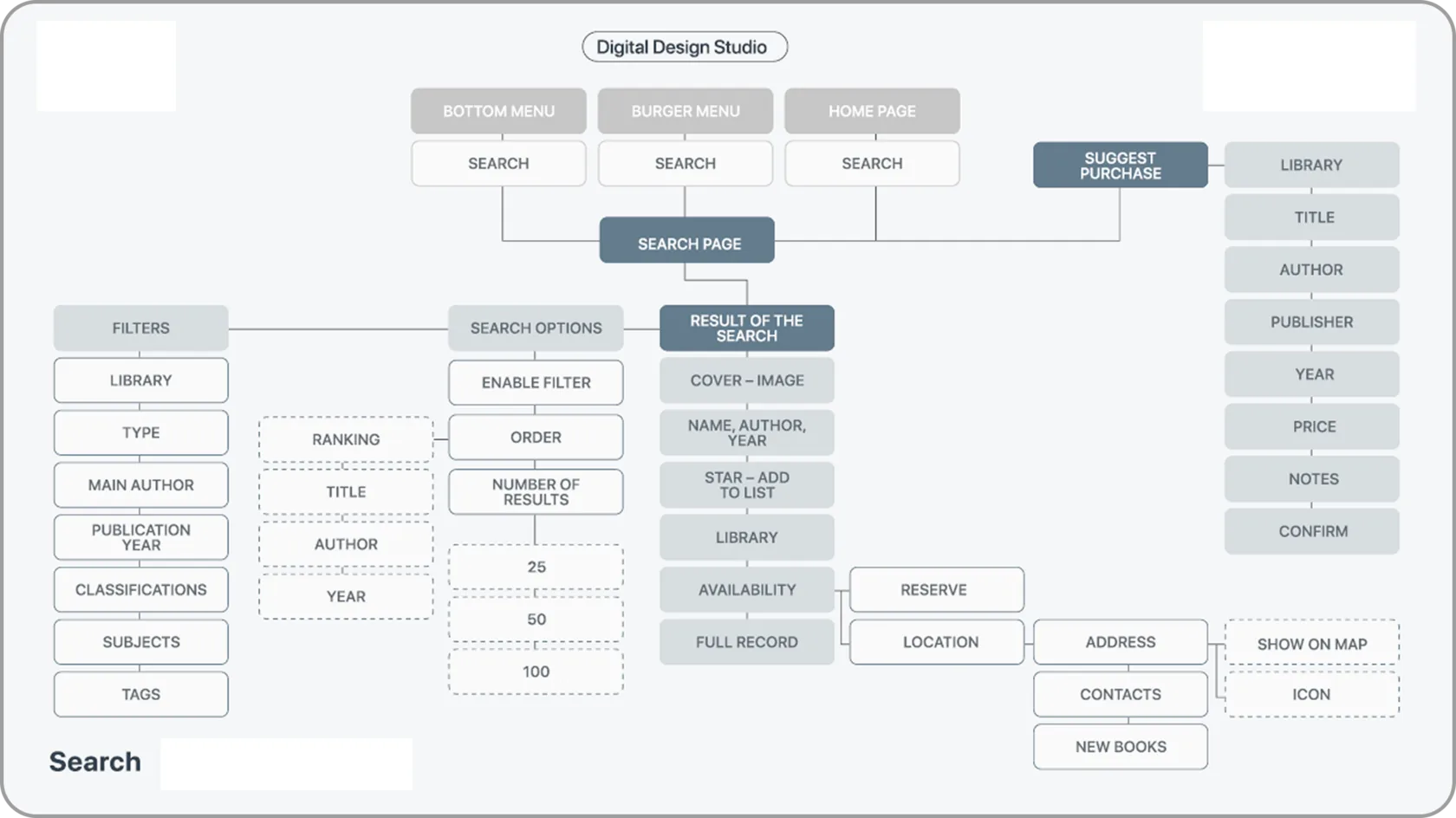
The existing architecture for search, mapped. Sections and buttons charted by hierarchy level – the same functions reachable through several different routes.
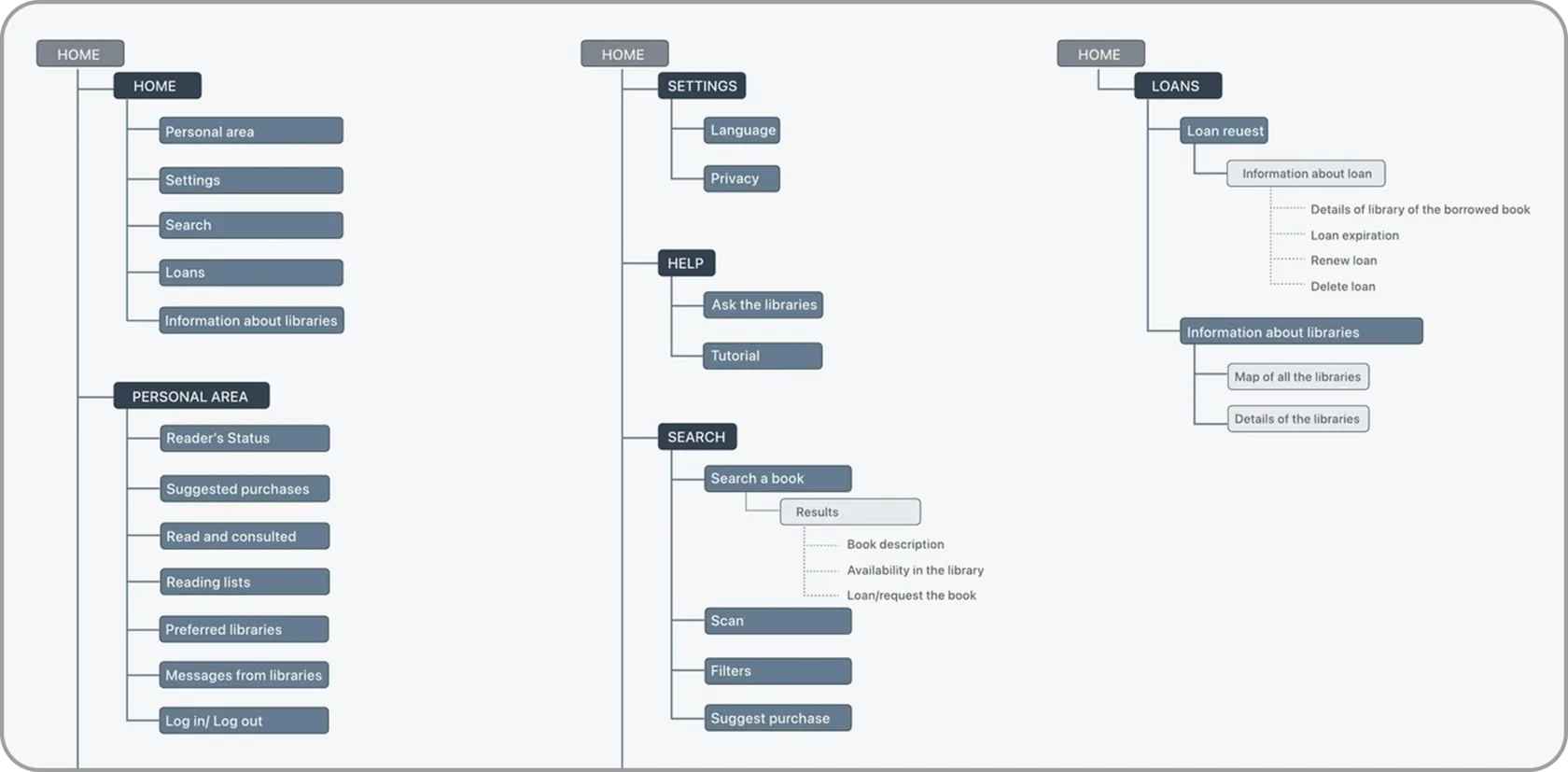
The final IA. Seven top-level areas – Home, Personal Area, Settings, Help, Search, Loans, Info
about Libraries – with a few high-traffic functions
deliberately repeated where people’s habits expect them.
1 / What it had to do
The existing app spread the same functions across a bottom menu,
a burger menu and the home page, with deep and inconsistent
hierarchies. Finding a book, checking whether it was available,
borrowing it and renewing it are one job in a student's head
and were four separate places in the app.
The baseline said how bad that was: 47% of tasks ended in the right
place, 51% got there without backtracking, the median run took
7 minutes 14 seconds, and a third of participants abandoned
the study before finishing.
2 / THE IDEA
Fix the structure, not the surface. This is an information-architecture
problem wearing a UI problem's clothes, so the work was to rebuild
the hierarchy and let the screens follow. Seven clear top-level areas
instead of the same functions repeated across three menus,
everything belonging to one job kept in one place, and names
taken from what students actually say rather than from what
the library calls things.
3 / How it was rebuilt
Open card sorting with 17 people to see how students really
group library tasks, then closed card sorting with 10 to check
the proposed structure held. A baseline tree test over eight findability
tasks on the live hierarchy produced the numbers to beat.
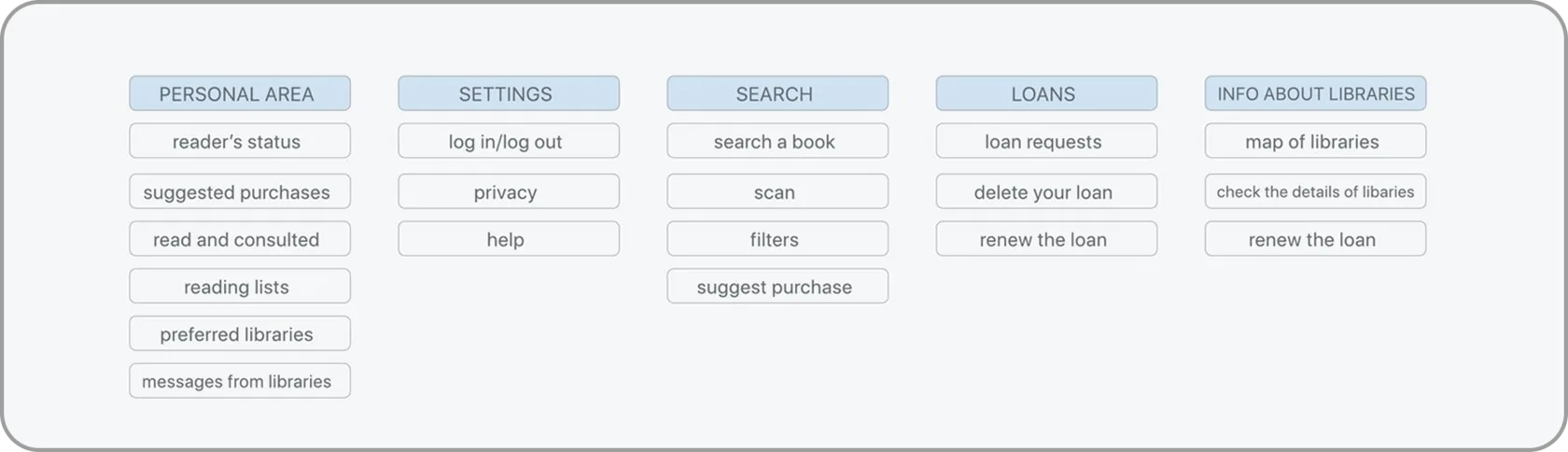
What the sorts converged on. Reading open
and closed together collapsed the mess into
five clear categories – Personal Area, Settings,
Search, Loans, Info about Libraries – and
showed that “burger menu” wasn’t a category
people thought in, so it was dropped.
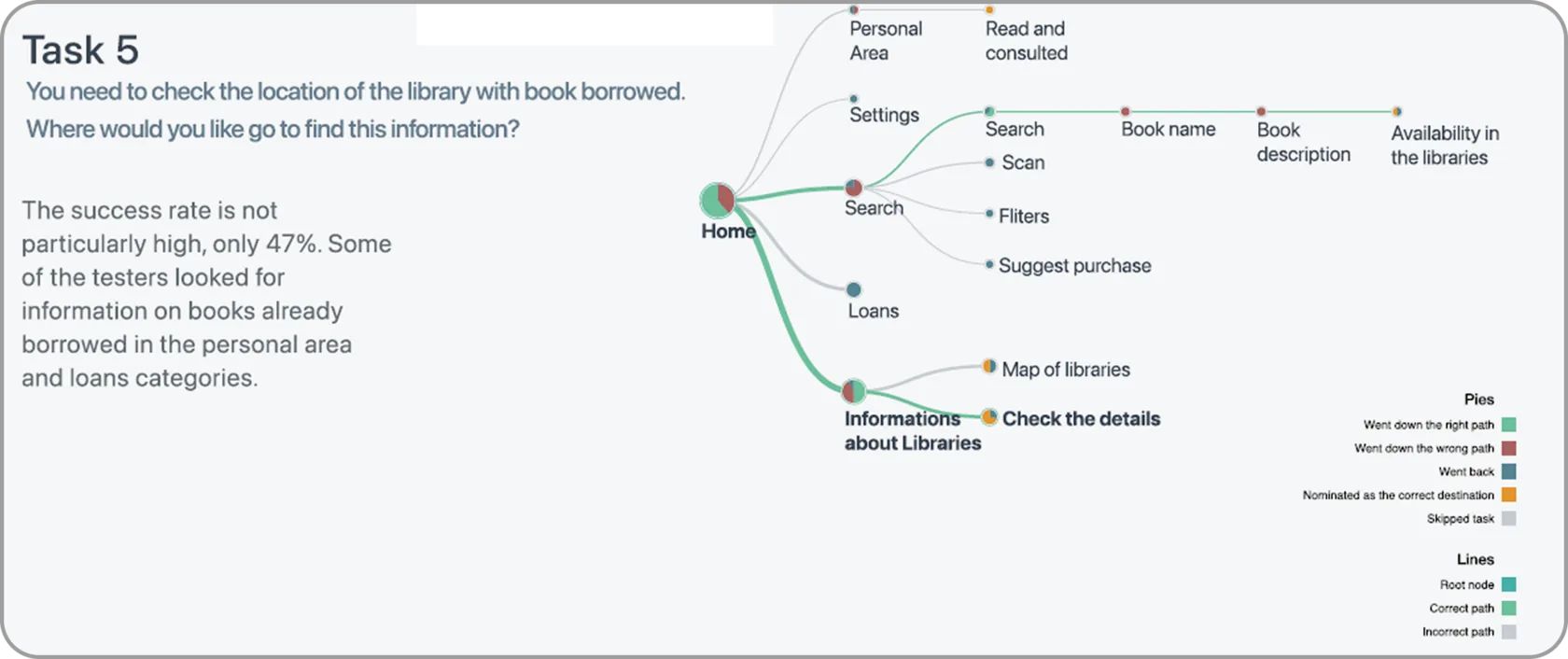
Tasks analysed one by one. Each task drawn
as a path – green where people went the right
way, with first-click and backtracking captured
at every node. This is the evidence that turned
“the menu feels messy” into a specific,
fixable map.
The new architecture has seven top-level areas — Home, Personal Area,
Settings, Help, Search, Loans and Info about Libraries — with search,
availability, borrowing and renewing gathered into one. Smaller decisions
came out of the same evidence: the save control moved from a star
to a heart, because a star reads as a rating; the “choose a list,
or create one” step got said out loud instead of implied.
The final IA. Seven top-level areas – Home, Personal Area, Settings, Help, Search, Loans, Info
about Libraries – with a few high-traffic functions
deliberately repeated where people’s habits expect them.
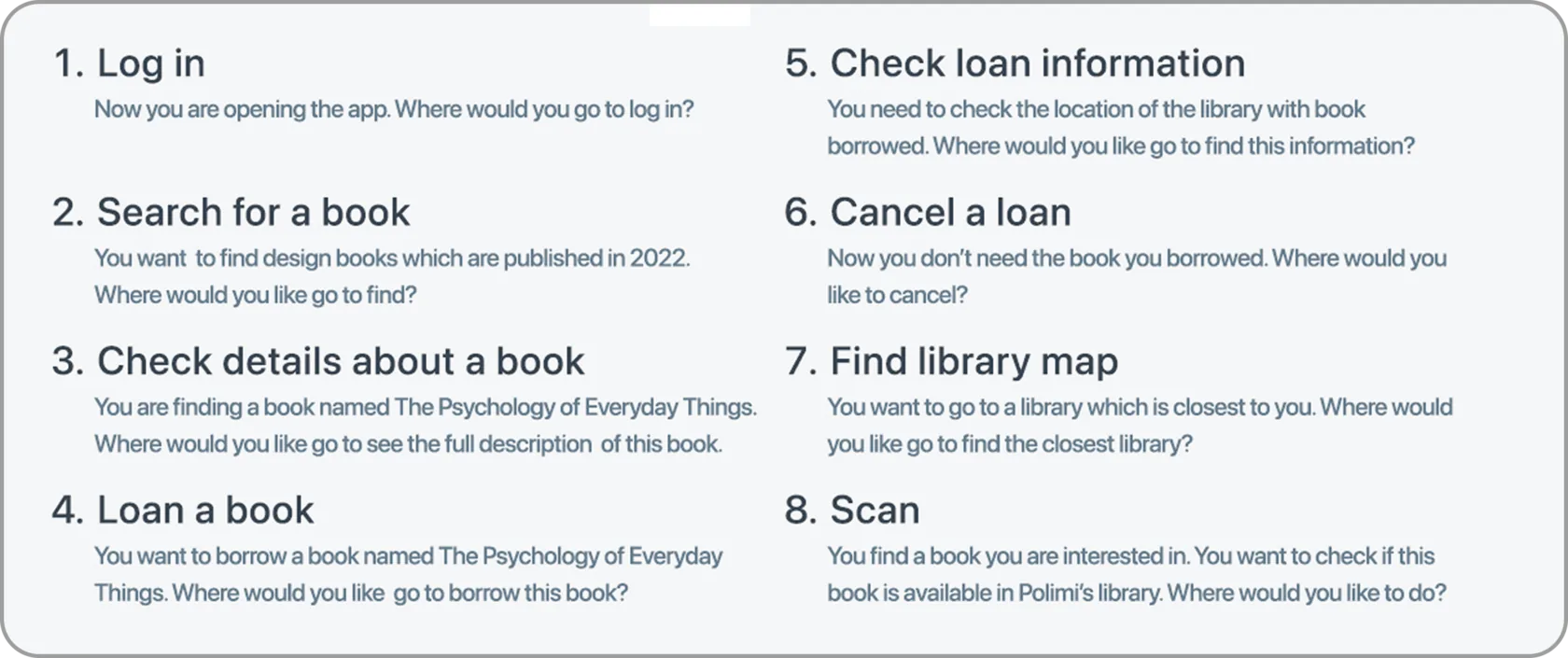
Tasks of the tree testing
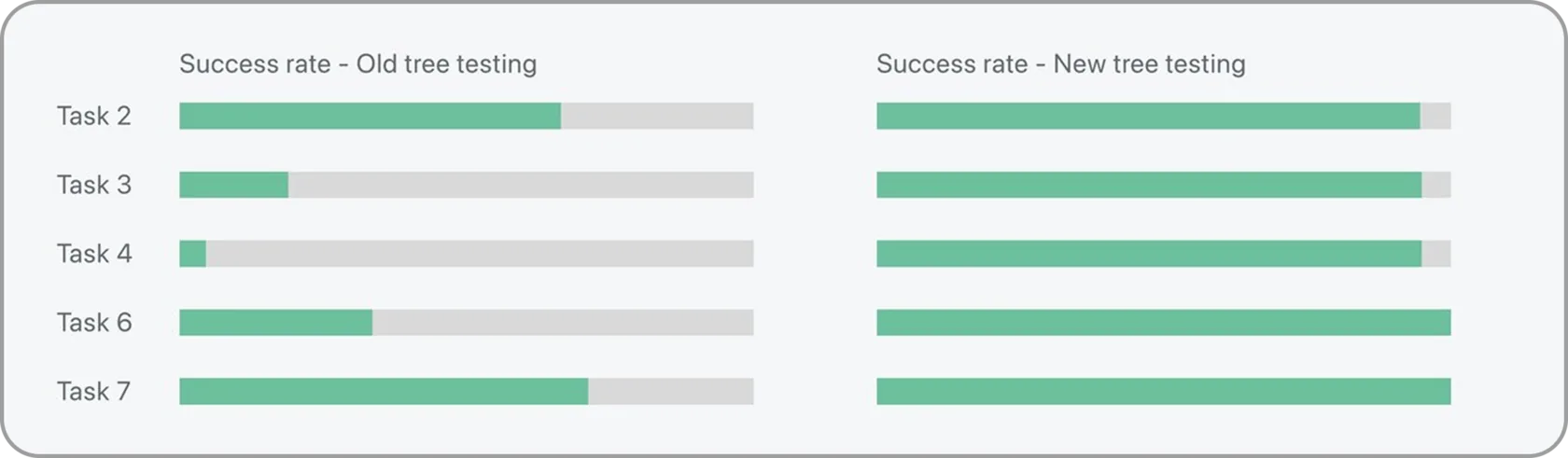
Old tree vs. new. Success and directness
rose and completion time roughly halved;
tasks 2, 3, 4, 6 and 7 all jumped sharply.
Then low-fidelity wireframes tested in Maze with 25 people across
10 tasks, a mid-fidelity prototype under pressure testing,
and a high-fidelity prototype of more than 70 screens.
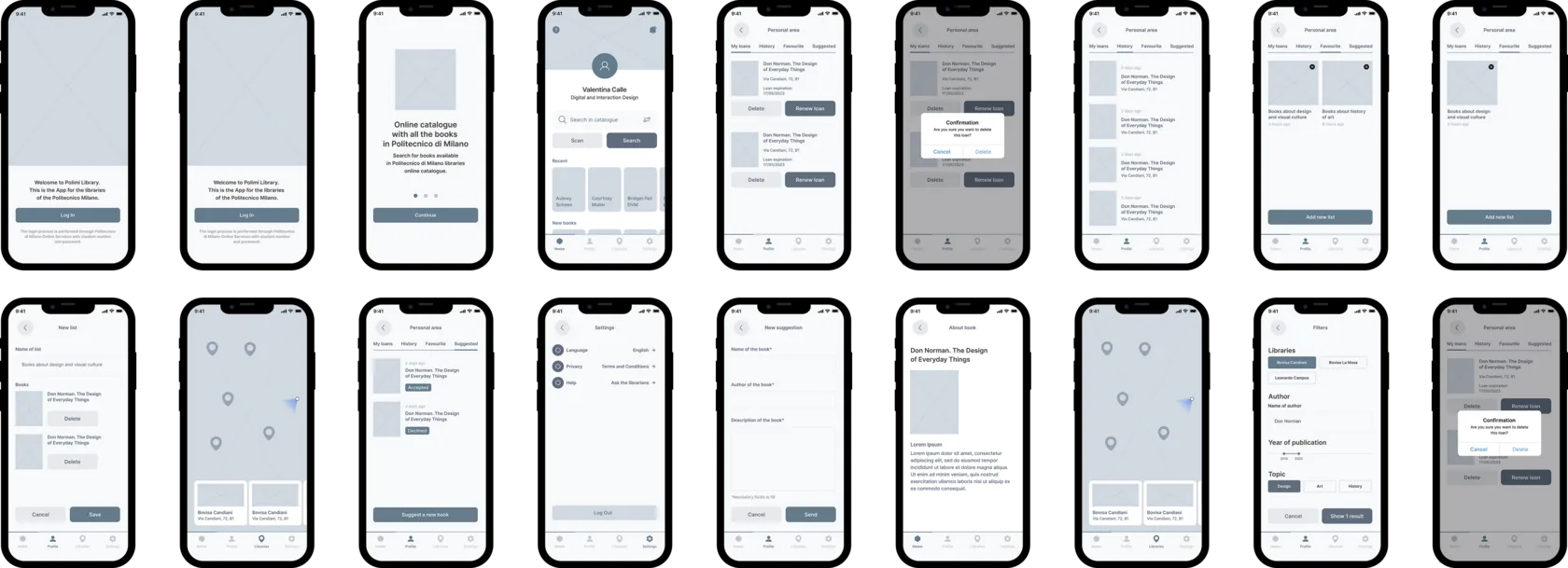
Low-fidelity wireframes. Visibly simpler
and more minimal than the original app –
the bottom menu on the home page
as the single pivot into Personal Area, Map of Libraries and Settings.
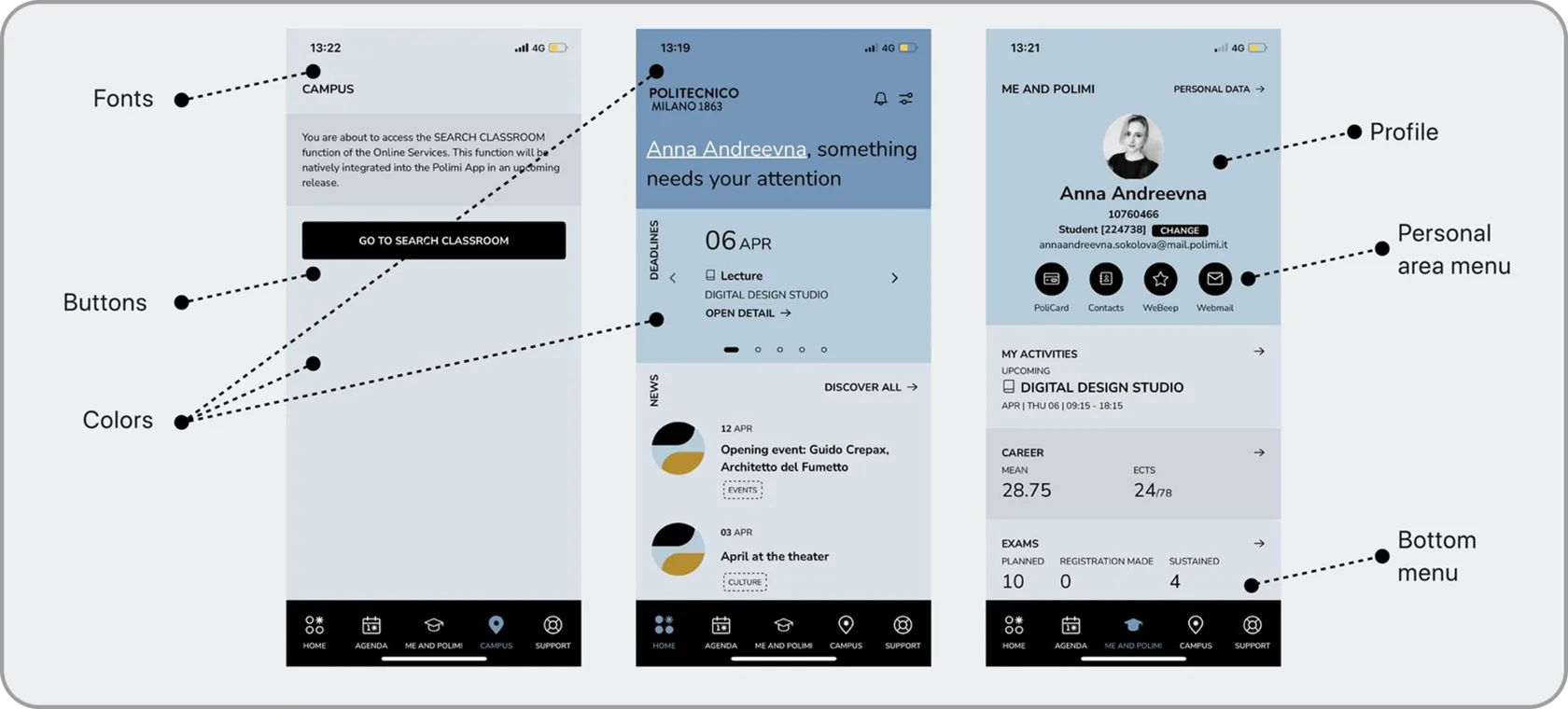
For developing the final prototype we analysed
the visual language of Polimi App –
as the Library App supposed to follow it
as part of the visual language of the system.
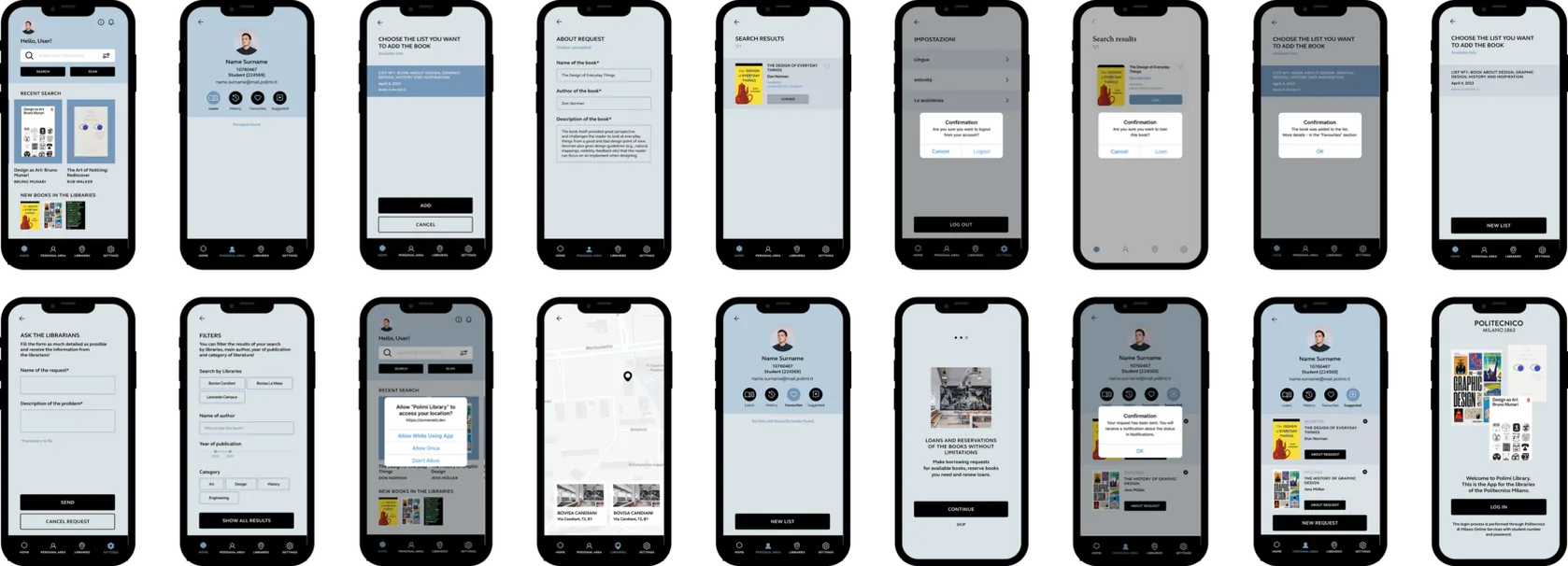
The final prototype. A calm, legible system built on the new architecture — a clear bottom menu,
a focused personal area, and search that surfaces a book’s availability where people look for it.
4 / What HAPPENED
Task success climbed from 47% to 78% and median
time roughly halved. Wireframe testing scored
68% overall, and the final prototype improved
on tasks 2, 3, 4, 6 and 7. As I put it at the time:
the interesting work was not the redesign,
it was proving with numbers that the redesign
was better.